

Microsoft Office 365 vs Google Workspace: Which Is Best for Business in 2026?
Compare Microsoft Office 365 and Google Workspace in detail. Discover features, pricing, collaboration tools, and find the best productivity suite for your business.
PRODUCT COMPARISONS
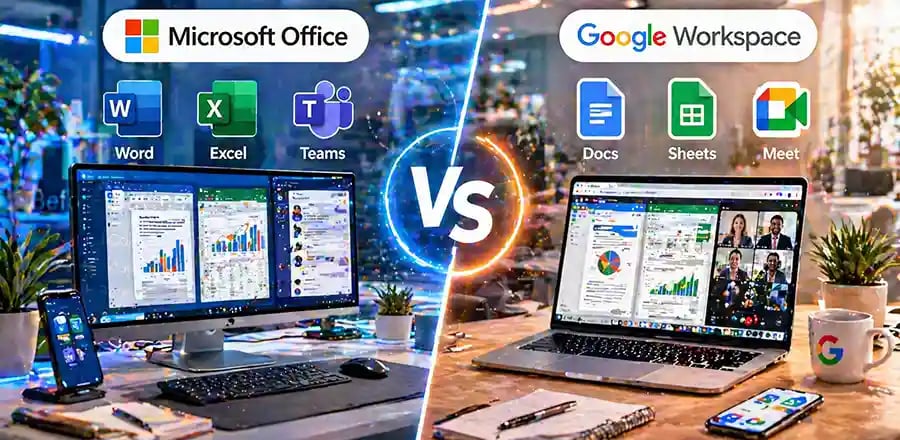
A Complete, Real-World Comparison to Help You Choose the Right Productivity Suite
Choosing the right productivity platform is no longer just an IT decision—it directly affects how your business communicates, collaborates, and grows. Two giants dominate this space: Microsoft Office 365 and Google Workspace. Both offer powerful tools, but they serve slightly different business needs and working styles.
This guide breaks down everything in a practical, easy-to-understand way—so whether you're running a small business, startup, or growing company, you can confidently decide which one fits you best.
Understanding the Core Difference
At a glance, both platforms seem similar—they offer email, document creation, cloud storage, and collaboration tools. But the real difference lies in how they approach work.
Microsoft Office 365 is built on decades of traditional desktop software like Microsoft Word, Microsoft Excel, and Microsoft PowerPoint, now enhanced with cloud capabilities.
On the other hand, Google Workspace is designed from the ground up for cloud-first collaboration, using tools like Google Docs, Google Sheets, and Google Slides.
If your business relies heavily on advanced features and offline work, Microsoft leans ahead. If real-time teamwork and simplicity are your priorities, Google shines.
Ease of Use and User Experience
For many users, familiarity plays a huge role. Businesses that have been using Microsoft tools for years will find Microsoft Office 365 instantly comfortable. Its interface is feature-rich and powerful—but sometimes overwhelming for beginners.
Google Workspace, however, offers a cleaner, simpler experience. Everything runs in your browser, updates automatically, and requires minimal setup. New users can jump in quickly without much training.
In fast-paced teams or non-technical environments, this simplicity often becomes a major advantage.
🔐 About Genuine Softwares
We provide 100% genuine and verified software licenses at affordable prices. Instant delivery, secure payments, and reliable customer support — helping you stay protected and productive.
🛒 Popular Products
Explore some of our most popular genuine software licenses trusted by thousands of users.
🔎 Search Software
📩 Subscribe
📚 Blog Categories
Browse our helpful guides and tutorials to learn more about installing, activating, and using genuine software effectively.
Helpful tutorials for installing, activating, optimizing, and managing Microsoft Windows.
Helpful tutorials for installing and using Microsoft Office applications.
Learn how to choose the right software license for home or business.
Tips to keep your computer safe from malware, viruses, and cyber threats.
Compare different software versions to find the best option for your needs.
Quick solutions for software errors, installation issues, activation problems, performance fixes.
⭐ Why Choose Genuine Softwares?
We focus on delivering trusted, affordable, and genuine software solutions for individuals and businesses worldwide.
✔ 100% Genuine Software Licenses
✔ Instant Digital Delivery
✔ Secure Payment Methods
✔ Affordable Prices
✔ Activation Support Available
Collaboration and Teamwork
This is where the biggest difference becomes obvious.
Google Workspace was built for collaboration. Multiple users can edit a document simultaneously, leave comments, and see changes in real time without worrying about version conflicts. Tools like Google Meet and Google Drive integrate seamlessly into daily workflows.
Microsoft has significantly improved in this area with Microsoft Teams and OneDrive. Real-time editing is now possible, but it may not feel as smooth or intuitive as Google’s ecosystem—especially for smaller teams.
If your team collaborates heavily across departments or remote locations, Google often feels faster and more natural.
Features and Advanced Capabilities
When it comes to depth and power, Microsoft still leads.
Microsoft Excel offers advanced formulas, macros, and data analysis tools that Google Sheets simply cannot fully match. Similarly, Microsoft Word provides more professional formatting options than Google Docs.
For industries like finance, engineering, or data-heavy businesses, this difference matters a lot.
However, Google tools are improving rapidly and are more than enough for everyday business tasks like reports, presentations, and communication.
Cloud Storage and Accessibility
Both platforms offer reliable cloud storage, but their approach differs. Google Drive is simple, fast, and deeply integrated with all Google apps. Files auto-save instantly, and sharing is incredibly easy. OneDrive and SharePoint provide more structured file management and better control for larger organizations—but they can feel complex for smaller teams.
If your priority is simplicity and speed, Google wins. If you need structured document control and enterprise-level organization, Microsoft is stronger.
Pricing and Value for Money
Pricing often depends on your business size and needs. Google Workspace typically offers straightforward pricing with fewer plan complexities, making it appealing for startups and small businesses.
Microsoft Office 365 (now often branded as Microsoft 365) offers more features—but with slightly more complex pricing tiers. However, the extra cost can be justified if your team uses advanced tools regularly.
In simple terms, Google gives you value through simplicity, while Microsoft delivers value through power.
Security and Reliability
Both companies invest heavily in security, so you’re in safe hands either way.
Microsoft offers enterprise-grade security, compliance tools, and advanced admin controls—ideal for regulated industries.
Google provides strong security with automatic updates, phishing protection, and AI-driven threat detection.
For most small and medium businesses, both platforms provide more than enough protection.
Which One Should You Choose?
The decision isn’t about which is “better”—it’s about which is better for your business.
If your team depends on advanced features, offline access, and powerful tools, Microsoft Office 365 is the smarter choice.
If your business values simplicity, speed, and seamless collaboration, Google Workspace is likely the better fit.
Many businesses today even use a hybrid approach—combining the strengths of both platforms.
Final Thoughts
Technology should make your work easier—not more complicated. Both Microsoft Office 365 and Google Workspace are excellent tools, but they serve different working styles.
Before making a decision, consider how your team works daily. Are they collaborating constantly? Do they rely on advanced spreadsheets? Do they work offline often?
Answering these questions will guide you to the right choice—and ultimately help your business run more efficiently.


Genuine
Authentic Microsoft Software Solutions at Unbeatable Prices, Instant Delivery, Trusted Worldwide.
Support & Contact
Newsletter
customercare@genuinesoftwarekeys.com
+960 796 4737
© 2026. Genuine Software Keys. All rights reserved.
100% Genuine Software


Genuine License Guaranteed






Instant Delivery
Secure Payments
24/7 Customer Support
via Email
SSL Encrypted
We’re Here Anytime


Software Keys
Subscribe Now & Unlock Exclusive Deals, Special Discounts, and the Latest Offers.
Available 24/7 – Get a Response Within 2 Minutes, Anytime You Need Us.
Popular Products


We Accept




✔ No Spam
✔ Special Offers
✔ Early Access Details
SSL Secured


Your data is safe with us
Delivery Policy | Terms and Conditions
Microsoft Office 365 Professional Plus