

Microsoft Office 2019 vs Office 2021 – Features, Differences & Which One Is Better
Compare Microsoft Office 2019 vs Office 2021. Learn the key differences, new features, performance improvements, and which version is best for your needs.
PRODUCT COMPARISONS
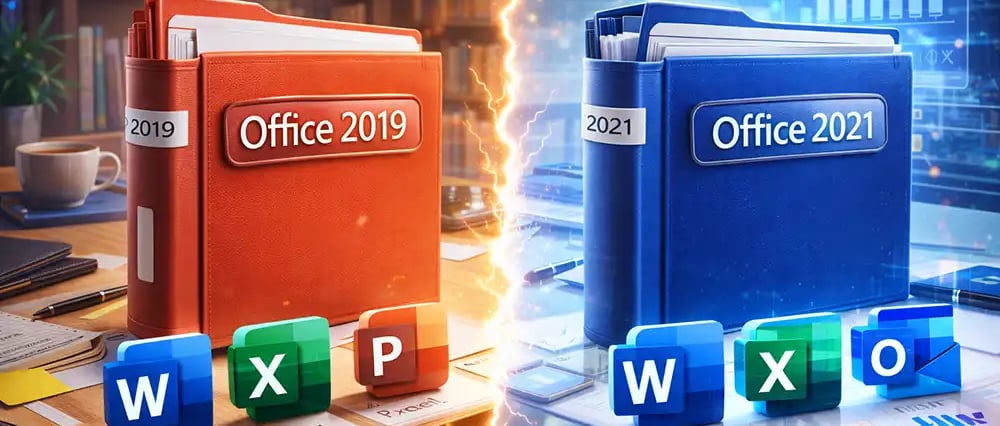
When choosing a productivity suite for your computer, two popular options are Microsoft Office 2019 and Microsoft Office 2021, both developed by Microsoft.
While both versions include familiar applications like Word, Excel, PowerPoint, and Outlook, Office 2021 introduces several improvements, performance upgrades, and modern collaboration features that make it more suitable for today’s workflow.
If you’re wondering which version is best for your home or business, this guide explains the key differences, new features, and which one offers better value.
Microsoft Office 2019 vs Microsoft Office 2021
Office 2019
✔ Released in 2018
✔ Basic collaboration
✔ Standard Excel formulas
✔ Security updates only
Office 2021
🚀 Released in 2021
🚀 Real-time collaboration
🚀 Advanced Excel functions (XLOOKUP)
🚀 Better performance and long-term support
Both versions are one-time purchases, unlike Microsoft 365 subscriptions.
🔐 About Genuine Softwares
We provide 100% genuine and verified software licenses at affordable prices. Instant delivery, secure payments, and reliable customer support — helping you stay protected and productive.
🛒 Popular Products
Explore some of our most popular genuine software licenses trusted by thousands of users.
🔎 Search Software
📩 Subscribe
📚 Blog Categories
Browse our helpful guides and tutorials to learn more about installing, activating, and using genuine software effectively.
Helpful tutorials for installing, activating, optimizing, and managing Microsoft Windows.
Helpful tutorials for installing and using Microsoft Office applications.
Learn how to choose the right software license for home or business.
Tips to keep your computer safe from malware, viruses, and cyber threats.
Compare different software versions to find the best option for your needs.
Quick solutions for software errors, installation issues, activation problems, performance fixes.
⭐ Why Choose Genuine Softwares?
We focus on delivering trusted, affordable, and genuine software solutions for individuals and businesses worldwide.
✔ 100% Genuine Software Licenses
✔ Instant Digital Delivery
✔ Secure Payment Methods
✔ Affordable Prices
✔ Activation Support Available
Key New Features in Microsoft Office 2021
1️⃣ Real-Time Collaboration
One of the biggest improvements in Office 2021 is real-time collaboration.
Multiple users can edit documents simultaneously, which is extremely useful for teams. Benefits include:
✔ Faster teamwork
✔ Instant document updates
✔ Reduced version conflicts
This feature makes Office 2021 closer to cloud productivity tools.


2️⃣ New Excel Functions for Data Analysis
Excel in Office 2021 includes powerful new formulas like: XLOOKUP
Allows you to search data more easily than the old VLOOKUP. Benefits:
Works horizontally and vertically
Handles missing values better
More flexible and powerful
Dynamic Arrays
Automatically fill formulas across cells. Examples include:
FILTER
UNIQUE
SORT
These tools help users perform advanced data analysis faster.
3️⃣ Improved Performance and Speed
Office 2021 is optimized for modern hardware and operating systems. Users often notice:
⚡ Faster startup times
⚡ Better memory usage
⚡ Smoother performance with large files
For businesses working with large spreadsheets or presentations, this improvement can make a big difference.
4️⃣ Enhanced PowerPoint Recording Features
PowerPoint in Office 2021 includes powerful presentation recording tools.
New capabilities include:
🎤 Record narration
🖊 Record ink annotations
📹 Record slide timing
This makes it ideal for:
Online training
Video presentations
Educational content
5️⃣ Better Dark Mode
Many professionals work long hours on their computers. Office 2021 offers a more refined dark mode that helps reduce eye strain. Advantages include:
✔ Better contrast
✔ Easier night-time work
✔ Improved UI design
Which Version Should You Choose?
Choose Office 2019 if:
✔ You want the cheapest option
✔ You only need basic Word, Excel, and PowerPoint
✔ You work mostly offline
Choose Office 2021 if:
✔ You want modern productivity features
✔ You work with teams and shared documents
✔ You use advanced Excel functions
✔ You want better performance
For most users in 2025 and beyond, Office 2021 provides better long-term value.
Tips Before Buying Microsoft Office
Here are a few important tips to avoid common mistakes when purchasing Office licenses.
✔ Always buy genuine licenses
Avoid activation issues and security risks by purchasing from trusted sellers.
✔ Check system compatibility
Make sure your PC supports the version you choose.
✔ Verify the license type
Office licenses may be:
Retail
OEM
Volume license
Retail licenses usually provide the most flexibility.
Final Thoughts
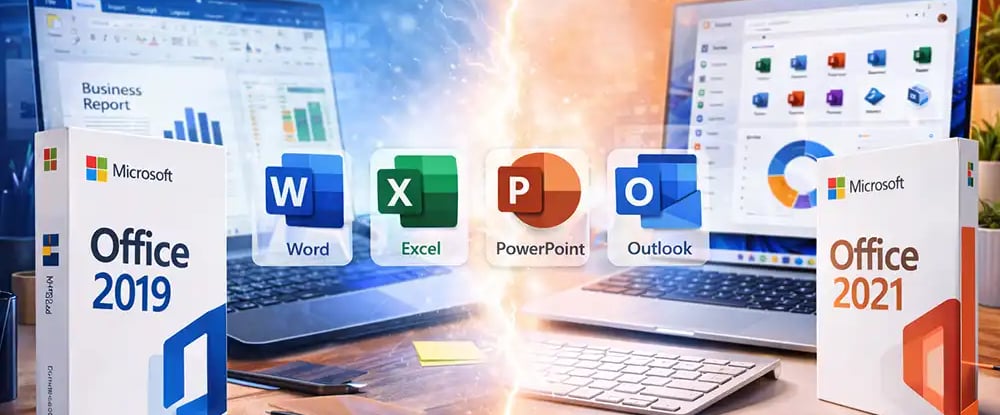
Both Microsoft Office 2019 and Microsoft Office 2021 are powerful productivity suites. However, Office 2021 introduces meaningful improvements in collaboration, Excel functions, performance, and usability.
If you want modern features and better long-term compatibility, Office 2021 is the smarter choice.
For users who only need basic office tools at a lower cost, Office 2019 still remains a reliable option.
Choosing the right version ultimately depends on your budget, workflow, and productivity needs.
Microsoft Office 2019 vs Office 2021
Genuine
Authentic Microsoft Software Solutions at Unbeatable Prices, Instant Delivery, Trusted Worldwide.
Support & Contact
Newsletter
customercare@genuinesoftwarekeys.com
+960 796 4737
© 2026. Genuine Software Keys. All rights reserved.
100% Genuine Software


Genuine License Guaranteed






Instant Delivery
Secure Payments
24/7 Customer Support
via Email
SSL Encrypted
We’re Here Anytime


Software Keys
Subscribe Now & Unlock Exclusive Deals, Special Discounts, and the Latest Offers.
Available 24/7 – Get a Response Within 2 Minutes, Anytime You Need Us.
Popular Products


We Accept




✔ No Spam
✔ Special Offers
✔ Early Access Details
SSL Secured


Your data is safe with us
Delivery Policy | Terms and Conditions
Microsoft Office 365 Professional Plus