

Latest Microsoft Office Update in 2026 — Features, Security & What You Need to Know
Microsoft continues to roll out significant improvements to its Office productivity suite — from urgent security patches to feature enhancements and lifecycle changes that every user should be aware of.
MICROSOFT OFFICE TUTORIALS
Microsoft continues to roll out significant improvements to its Office productivity suite — from urgent security patches to feature enhancements and lifecycle changes that every user should be aware of.
✅ 1. Emergency Security Patch for Microsoft Office
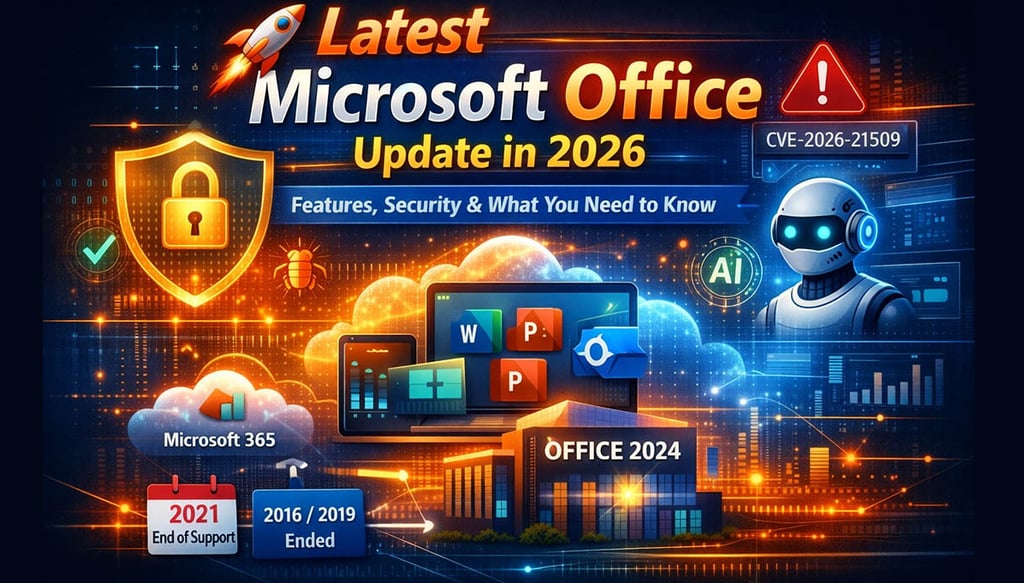
Microsoft has just issued an out-of-band security update to address a high-severity zero-day vulnerability in Office that’s actively being exploited in the wild (tracked as CVE-2026-21509). This patch protects users from attackers bypassing security features and is already deployed — Office apps simply need a restart to activate it.
💡 Tip: Make sure your Office apps are updated and restarted regularly to stay secure.
⸻
🔐 2. End of Support Changes to Older Office Versions
Support for older Microsoft Office versions has been changing rapidly:
• Office 2016 & Office 2019 support ended on October 14, 2025 — users of these versions no longer receive security fixes.
• Office 2021 support will end on October 13, 2026, after which there will be no updates, including security patches.
👉 This means it’s increasingly essential to migrate to Microsoft 365 or Office 2024 to keep your system safe and enjoy new features.
⸻
✨ 3. Productivity Enhancements & AI Integration
Microsoft has been steadily improving Office features across the board:
• Microsoft 365 Copilot Improvements: The AI assistant continues to get smarter with new capabilities and expanded access for users with Copilot licenses.
• Unified Updates & Feature Rollouts: Microsoft delivers new features automatically to Microsoft 365 subscribers on a rolling basis, including enhancements to Word, Excel, PowerPoint, and Teams. 
• Office Add-ins & Developer Tools: Developers now have modern APIs and add-in support for better customization and functionality across Word, Excel, and PowerPoint.
These updates make Office more collaborative, smarter, and better optimized for hybrid work environments.
⸻
🔐 About Genuine Softwares
We provide 100% genuine and verified software licenses at affordable prices. Instant delivery, secure payments, and reliable customer support — helping you stay protected and productive.
🛒 Popular Products
Explore some of our most popular genuine software licenses trusted by thousands of users.
🔎 Search Software
📩 Subscribe
📚 Blog Categories
Browse our helpful guides and tutorials to learn more about installing, activating, and using genuine software effectively.
Helpful tutorials for installing, activating, optimizing, and managing Microsoft Windows.
Helpful tutorials for installing and using Microsoft Office applications.
Learn how to choose the right software license for home or business.
Tips to keep your computer safe from malware, viruses, and cyber threats.
Compare different software versions to find the best option for your needs.
Quick solutions for software errors, installation issues, activation problems, performance fixes.
⭐ Why Choose Genuine Softwares?
We focus on delivering trusted, affordable, and genuine software solutions for individuals and businesses worldwide.
✔ 100% Genuine Software Licenses
✔ Instant Digital Delivery
✔ Secure Payment Methods
✔ Affordable Prices
✔ Activation Support Available
📈 4. Licensing & Deployment Model Shifts
Microsoft is making some strategic adjustments to how Office is delivered:
• Microsoft is shifting away from certain installation types — the Microsoft Store version of Microsoft 365 apps will stop getting feature updates (security updates continue until 2026).
• Pricing changes and licensing updates are planned to help support Microsoft’s expanding services and AI capabilities.
This shift means businesses and individuals should plan their upgrade path carefully to ensure uninterrupted access to new tools and security support.
⸻
🆕 5. Office 2024: The Modern Perpetual Version
For those who prefer one-time purchase software instead of a subscription, Microsoft Office 2024 is the latest version offering a perpetual license with modern design and improved performance — including enhanced AI features and tighter integration with cloud services. 
⸻
🧠 What This Means for You
Version Security Updates Feature Updates Recommended Action
Office 2016/2019 ❌ Ended ❌ Ended Upgrade now
Office 2021 ❌ Ends Oct 2026 ❌ Ends Oct 202 Plan upgrade
Microsoft 365 ✅ Yes ✅ Ongoing Best option
Office 2024 Limited Some Modern Good for standalone users
⸻
📌 Final Takeaway
Whether you’re a student, small business, or enterprise user, the latest Microsoft Office developments make one thing clear:
✔ Staying updated is essential — for security, collaboration, and access to the newest productivity tools.
✔ Microsoft 365 remains the most future-proof choice, while Office 2024 offers a solid one-time purchase option.
✔ Always install updates promptly and ensure older versions are retired before support ends.
Latest Microsoft Office Update in 2026
Genuine
Authentic Microsoft Software Solutions at Unbeatable Prices, Instant Delivery, Trusted Worldwide.
Support & Contact
Newsletter
customercare@genuinesoftwarekeys.com
+960 796 4737
© 2026. Genuine Software Keys. All rights reserved.
100% Genuine Software


Genuine License Guaranteed






Instant Delivery
Secure Payments
24/7 Customer Support
via Email
SSL Encrypted
We’re Here Anytime


Software Keys
Subscribe Now & Unlock Exclusive Deals, Special Discounts, and the Latest Offers.
Available 24/7 – Get a Response Within 2 Minutes, Anytime You Need Us.
Popular Products


We Accept




✔ No Spam
✔ Special Offers
✔ Early Access Details
SSL Secured


Your data is safe with us
Delivery Policy | Terms and Conditions
Microsoft Office 365 Professional Plus