
Is Windows 11 Worth Upgrading in 2026? Complete Detailed Guide
Discover whether upgrading to Windows 11 in 2026 is worth it. Learn about performance, security, features, and whether your PC should upgrade or stay on Windows 10.
WINDOWS GUIDES
Is Windows 11 Worth Upgrading in 2026?
As we move further into 2026, many PC users and business owners are facing an important decision: Should you upgrade to Windows 11, or continue using your current system?
With rapid advancements in technology and increasing cybersecurity threats, your operating system plays a critical role in both performance and protection. Upgrading is no longer just about new features—it’s about staying secure, productive, and compatible with modern software.
In this detailed guide, we’ll explore whether upgrading to Windows 11 is truly worth it in 2026, and help you decide based on your needs.
Understanding Windows 11 in 2026
Windows 11 is the latest generation operating system developed by Microsoft. It was designed to replace Windows 10 with a stronger focus on modern design, improved efficiency, and advanced security.
By 2026, Windows 11 has matured significantly. Early bugs have been resolved, updates have improved stability, and it now provides a more refined experience compared to its initial release. This makes it a much more reliable choice than it was in earlier years.
🔐 About Genuine Softwares
We provide 100% genuine and verified software licenses at affordable prices. Instant delivery, secure payments, and reliable customer support — helping you stay protected and productive.
🛒 Popular Products
Explore some of our most popular genuine software licenses trusted by thousands of users.
🔎 Search Software
📩 Subscribe
📚 Blog Categories
Browse our helpful guides and tutorials to learn more about installing, activating, and using genuine software effectively.
Helpful tutorials for installing, activating, optimizing, and managing Microsoft Windows.
Helpful tutorials for installing and using Microsoft Office applications.
Learn how to choose the right software license for home or business.
Tips to keep your computer safe from malware, viruses, and cyber threats.
Compare different software versions to find the best option for your needs.
Quick solutions for software errors, installation issues, activation problems, performance fixes.
⭐ Why Choose Genuine Softwares?
We focus on delivering trusted, affordable, and genuine software solutions for individuals and businesses worldwide.
✔ 100% Genuine Software Licenses
✔ Instant Digital Delivery
✔ Secure Payment Methods
✔ Affordable Prices
✔ Activation Support Available
A Fresh and Modern User Experience
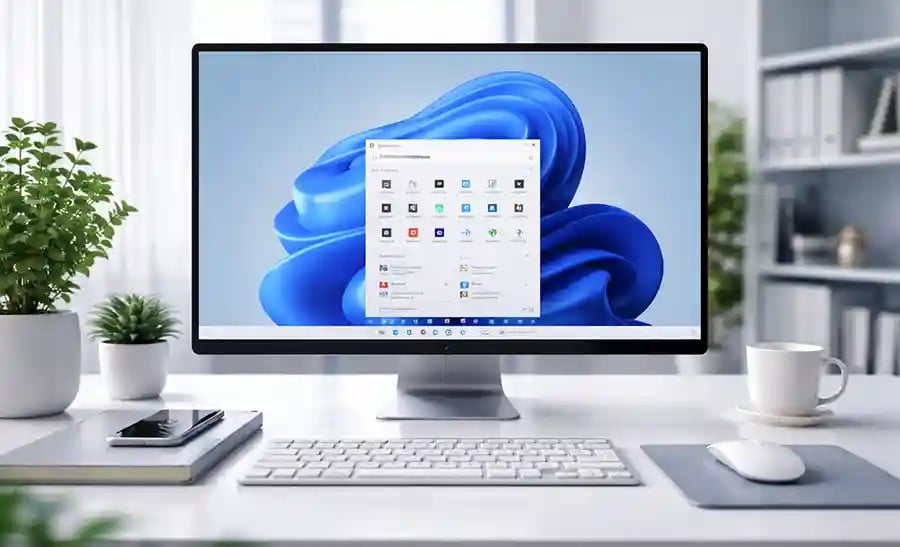
One of the most noticeable changes in Windows 11 is its redesigned interface. The operating system introduces a cleaner, more modern look with centered icons, smoother animations, and simplified layouts.
While this might seem like just a visual upgrade, it actually improves usability. Tasks like switching between applications, organizing windows, and accessing system settings feel more intuitive. Over time, users find that this design helps reduce clutter and improves workflow efficiency.
However, if you are someone who has been using Windows 10 for many years, the new layout may take some time to get used to. The Start Menu and settings structure have changed, which can initially feel unfamiliar. But once you adapt, the experience is generally smoother and more enjoyable.
Performance Improvements That Matter
Performance is one of the key reasons many users consider upgrading. Windows 11 has been optimized to work efficiently with modern hardware, especially systems with SSD storage and newer processors.
In daily use, this means faster boot times, better memory management, and smoother multitasking. Applications tend to open more quickly, and the system handles background processes more efficiently.
For business users, this can translate into real productivity gains. Less waiting time and smoother performance mean you can focus more on your work rather than dealing with slow systems.
That said, the performance benefits are most noticeable on newer computers. If you are using older hardware, you may not experience the full advantages, and in some cases, performance could even feel similar to Windows 10.
Stronger Security for Modern Threats
In 2026, cybersecurity is more important than ever. With increasing cases of ransomware, phishing attacks, and data breaches, having a secure operating system is essential.
Windows 11 was built with security as a priority. Features like TPM 2.0, Secure Boot, and hardware-based protections help safeguard your system against modern threats. These features make it significantly harder for attackers to compromise your data.
Compared to Windows 10, Windows 11 provides a more robust defense system. This is especially important for businesses handling sensitive customer information or financial data.
If security is a top concern for you, upgrading becomes less of an option and more of a necessity.
Better Support for Modern Applications and Gaming
Another advantage of Windows 11 is its improved support for modern applications and technologies. It is designed to work seamlessly with the latest software, ensuring better compatibility and performance.
For gamers and creative professionals, Windows 11 introduces enhancements such as improved graphics performance and faster data access. These improvements make a noticeable difference in high-performance tasks like video editing, 3D rendering, and gaming.
Even for everyday users, better app compatibility ensures a smoother experience with new tools and platforms that may not be fully optimized for older operating systems.

The Limitations You Should Consider
Despite its advantages, Windows 11 is not perfect for everyone. One of the biggest challenges is its strict hardware requirements. Many older computers do not support TPM 2.0 or meet the processor requirements, making it impossible to upgrade without changing hardware.
Additionally, some older software applications may not run properly on Windows 11. If your work depends on legacy systems or specialized tools, this could be a serious limitation.
There is also the factor of user comfort. Some people prefer the familiarity of Windows 10 and may not want to adapt to a new interface, especially if their current system is working without issues.
The Reality of Windows 10 in 2026
While Windows 10 has been a reliable operating system for years, its lifecycle is coming to an end. Official support is expected to have ended around October 2025.
This means that systems running Windows 10 will no longer receive important security updates. Over time, this increases the risk of vulnerabilities and cyberattacks.
For personal users, this may not seem urgent at first. However, for businesses, continuing to use an unsupported system can lead to serious security and compliance risks.
Who Should Upgrade — And Who Should Wait?
Upgrading to Windows 11 makes the most sense for users who have modern hardware and want improved security, better performance, and long-term support. It is particularly beneficial for businesses, professionals, and anyone who relies on up-to-date software.
On the other hand, if your computer is older or you depend on software that may not be compatible, it might be better to wait. In such cases, upgrading your hardware first would be a smarter investment before switching to Windows 11.
Smart Tips Before You Upgrade
Before making the switch, it is important to prepare your system properly. Start by checking whether your PC meets the hardware requirements. Backing up your important data is essential to avoid any loss during the upgrade process.
It is also recommended to update your drivers and ensure your system is running genuine licensed software. A clean installation of Windows 11 often provides better performance compared to upgrading directly from an older system.
Taking these steps will help ensure a smooth and successful transition.
Final Verdict: Is It Worth Upgrading?
In 2026, upgrading to Windows 11 is worth it for most users, especially those who value security, performance, and future compatibility.
The operating system offers a modern experience, improved efficiency, and stronger protection against today’s cyber threats. As Windows 10 reaches the end of its lifecycle, staying on an outdated system becomes increasingly risky.
However, the decision ultimately depends on your hardware and usage needs. If your system supports it, upgrading is a smart move. If not, upgrading your hardware first is the better long-term solution.
Genuine
Authentic Microsoft Software Solutions at Unbeatable Prices, Instant Delivery, Trusted Worldwide.
Support & Contact
Newsletter
customercare@genuinesoftwarekeys.com
+960 796 4737
© 2026. Genuine Software Keys. All rights reserved.
100% Genuine Software


Genuine License Guaranteed






Instant Delivery
Secure Payments
24/7 Customer Support
via Email
SSL Encrypted
We’re Here Anytime
Software Keys
Subscribe Now & Unlock Exclusive Deals, Special Discounts, and the Latest Offers.
Available 24/7 – Get a Response Within 2 Minutes, Anytime You Need Us.
Popular Products


We Accept




✔ No Spam
✔ Special Offers
✔ Early Access Details
SSL Secured


Your data is safe with us
Delivery Policy | Terms and Conditions
Microsoft Office 365 Professional Plus