

How to Choose the Right Microsoft Windows Version for Your PC (Windows 10 vs Windows 11 Guide)
Learn how to choose the right Microsoft Windows version for your computer. Compare Windows 10 vs Windows 11, system requirements, performance, and expert tips to make the best choice.
SOFTWARE BUYING GUIDES
Understanding Your Needs Before Choosing a Windows Version
Comparing Windows Versions: Which One Is Right for You?
Choosing the right version of Microsoft Windows isn’t just about installing the latest update—it’s about matching your computer’s capabilities with your personal or business needs. Whether you’re upgrading an older PC or setting up a new system, selecting the right version of Microsoft Windows can significantly impact your performance, security, and overall experience.
Understanding Your Needs Before Choosing a Windows Version
Before jumping into versions like Windows 10 or Windows 11, it’s important to take a step back and evaluate what you actually need from your computer. Many users make the mistake of installing the newest version without checking compatibility, which often leads to slow performance or frustrating limitations.
If your computer is mainly used for everyday tasks such as browsing, watching videos, and working with documents, you don’t necessarily need the most advanced version. In fact, a stable and well-supported system like Windows 10 can still offer excellent performance for such uses. On the other hand, if you are a professional working with design tools, software development, or gaming, then the newer Windows 11—with its improved performance features and modern interface—may be a better fit.
Another key factor is hardware compatibility. Windows 11 has stricter requirements, including TPM 2.0 and newer processors. If your device doesn’t meet these requirements, forcing an upgrade can create more problems than benefits. In such cases, sticking with Windows 10 or upgrading your hardware first is the smarter move.
Comparing Windows Versions: Which One Is Right for You?
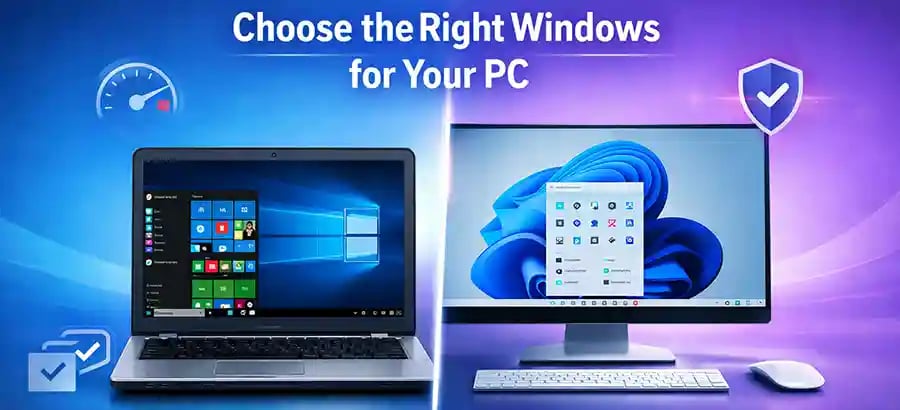
When comparing different Windows versions, the choice often comes down to balancing performance, features, and longevity. Windows 10 has been a reliable workhorse for years. It is stable, widely supported, and compatible with most existing software and hardware. For users with older machines, it remains one of the safest and most practical choices.
Windows 11, however, introduces a more modern design, improved multitasking features like Snap Layouts, and better integration with newer technologies. It is optimized for newer CPUs and provides enhanced security features, making it a future-ready operating system. If your system supports it, Windows 11 offers a smoother and more visually appealing experience.
There are also different editions within each version, such as Home, Pro, and Enterprise. Windows Home is suitable for most personal users, offering all essential features. Windows Pro is ideal for professionals and small businesses, providing advanced tools like BitLocker encryption and remote desktop access. Enterprise editions are designed for large organizations with complex IT needs.
🔐 About Genuine Softwares
We provide 100% genuine and verified software licenses at affordable prices. Instant delivery, secure payments, and reliable customer support — helping you stay protected and productive.
🛒 Popular Products
Explore some of our most popular genuine software licenses trusted by thousands of users.
🔎 Search Software
📩 Subscribe
📚 Blog Categories
Browse our helpful guides and tutorials to learn more about installing, activating, and using genuine software effectively.
Helpful tutorials for installing, activating, optimizing, and managing Microsoft Windows.
Helpful tutorials for installing and using Microsoft Office applications.
Learn how to choose the right software license for home or business.
Tips to keep your computer safe from malware, viruses, and cyber threats.
Compare different software versions to find the best option for your needs.
Quick solutions for software errors, installation issues, activation problems, performance fixes.
⭐ Why Choose Genuine Softwares?
We focus on delivering trusted, affordable, and genuine software solutions for individuals and businesses worldwide.
✔ 100% Genuine Software Licenses
✔ Instant Digital Delivery
✔ Secure Payment Methods
✔ Affordable Prices
✔ Activation Support Available
Performance Matters: Don’t Ignore System Requirements
One of the biggest mistakes users make is overlooking system requirements. A powerful operating system installed on weak hardware will always struggle. Windows 11, for example, requires more modern hardware to run efficiently, while Windows 10 is more forgiving on older systems.
If your PC has limited RAM (4GB or less), an older processor, or a traditional hard drive instead of an SSD, upgrading to the latest version may slow things down rather than improve performance. In such cases, optimizing your current system or upgrading hardware components like RAM or storage can deliver better results than switching OS versions.
Security and Updates: Think Long-Term
Security is another crucial factor when choosing a Windows version. Microsoft regularly releases updates to protect against new threats, but older versions eventually lose support. Using an unsupported system can expose your computer to risks.
Windows 11 offers the most up-to-date security features, including hardware-based protections that are becoming increasingly important in today’s digital landscape. However, Windows 10 will continue to receive support for a limited time, making it still a safe option for now.
If you’re planning to use your system for several years without upgrading hardware, choosing a version with longer support lifespan is a wise decision.
Compatibility with Software and Devices
Not all software works seamlessly across all Windows versions. If you rely on specific applications—especially older ones—you need to ensure compatibility before upgrading. Many legacy applications run perfectly on Windows 10 but may encounter issues on Windows 11.
Similarly, peripherals like printers, scanners, and older hardware devices may not have updated drivers for newer systems. Checking compatibility beforehand can save you from unnecessary headaches.
Making the Final Decision
At the end of the day, the best Windows version for you depends on your hardware, usage, and future plans. If you have a modern PC and want the latest features and security, Windows 11 is a strong choice. If you’re using older hardware or prefer a stable and familiar environment, Windows 10 remains a reliable option.
Rather than chasing the newest version, focus on what works best for your setup. A well-matched system will always outperform one that’s simply “up to date.”


Genuine
Authentic Microsoft Software Solutions at Unbeatable Prices, Instant Delivery, Trusted Worldwide.
Support & Contact
Newsletter
customercare@genuinesoftwarekeys.com
+960 796 4737
© 2026. Genuine Software Keys. All rights reserved.
100% Genuine Software


Genuine License Guaranteed






Instant Delivery
Secure Payments
24/7 Customer Support
via Email
SSL Encrypted
We’re Here Anytime


Software Keys
Subscribe Now & Unlock Exclusive Deals, Special Discounts, and the Latest Offers.
Available 24/7 – Get a Response Within 2 Minutes, Anytime You Need Us.
Popular Products


We Accept




✔ No Spam
✔ Special Offers
✔ Early Access Details
SSL Secured


Your data is safe with us
Delivery Policy | Terms and Conditions
Microsoft Office 365 Professional Plus