

How to Activate Microsoft Office 2021 Step by Step | Complete Activation Guide
Learn how to activate Microsoft Office 2021 using a genuine product key. Follow this step-by-step activation guide and resolve common Office activation issues quickly and easily.
MICROSOFT OFFICE TUTORIALS
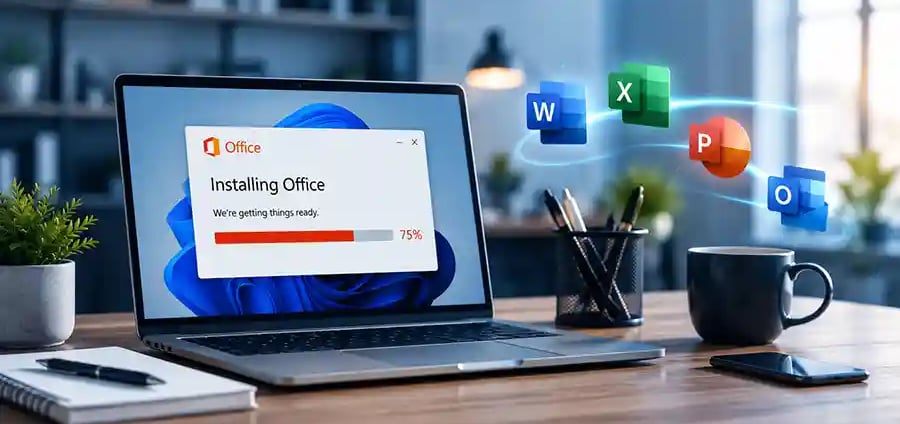

How to Activate Microsoft Office 2021 Step by Step
Complete Guide to Activating Office 2021 Successfully on Windows PCs
Microsoft Office 2021 is one of the world's most widely used productivity suites, helping students, professionals, businesses, and home users create documents, manage data, deliver presentations, and stay connected. Applications such as Word, Excel, PowerPoint, Outlook, and OneNote provide powerful tools that support both personal and professional productivity.
After installing Office 2021, many users are unsure how to activate their software correctly. Some encounter activation errors, while others receive messages indicating that their copy of Office is not activated. Without proper activation, Office applications may operate with limited functionality, restricting access to important features.
This guide explains how to activate Microsoft Office 2021 step by step, troubleshoot common activation issues, and ensure your software remains genuine, secure, and fully functional.
How to Activate Microsoft Office 2021 Quickly
Follow these simple steps to activate Microsoft Office 2021:
Install Microsoft Office 2021 on your computer.
Open Word, Excel, PowerPoint, or Outlook.
Sign in using your Microsoft account.
Enter your genuine Office 2021 product key if prompted.
Follow the activation instructions displayed on screen.
Verify that Office shows "Product Activated" in the Account section.
Most users can complete activation in just a few minutes when using a valid Microsoft Office 2021 license and a stable internet connection.
Why Activating Microsoft Office 2021 Is Important
Activating Microsoft Office 2021 ensures that your software is genuine, secure, and properly licensed. Activation verifies your product key with Microsoft's activation servers and unlocks all premium features available within the Office suite.
Without activation, users may experience recurring activation notifications, limited editing functionality, and restricted access to certain features. Proper activation also helps protect your computer from counterfeit software and unauthorized activation tools that may contain malware or security vulnerabilities.
A successfully activated Office installation provides access to updates, improved stability, enhanced security, and a better overall user experience.
Understanding Microsoft Office 2021 License Types
Before activating Office 2021, it's important to understand the type of license you own.
Retail License
Retail licenses are purchased individually and are commonly linked to a Microsoft account. Depending on Microsoft's licensing terms, they may be transferred to another compatible device.
OEM License
OEM licenses are usually pre-installed on new computers and are generally tied to the original device on which they were activated.
Volume License
Volume licenses are designed for businesses, educational institutions, and organizations that need to manage multiple Office installations.
Understanding your license type helps ensure you follow the correct activation method and avoid unnecessary troubleshooting.
🔐 About Genuine Softwares
We provide 100% genuine and verified software licenses at affordable prices. Instant delivery, secure payments, and reliable customer support — helping you stay protected and productive.
🛒 Popular Products
Explore some of our most popular genuine software licenses trusted by thousands of users.
🔎 Search Software
📩 Subscribe
📚 Blog Categories
Browse our helpful guides and tutorials to learn more about installing, activating, and using genuine software effectively.
Helpful tutorials for installing, activating, optimizing, and managing Microsoft Windows.
Helpful tutorials for installing and using Microsoft Office applications.
Learn how to choose the right software license for home or business.
Tips to keep your computer safe from malware, viruses, and cyber threats.
Compare different software versions to find the best option for your needs.
Quick solutions for software errors, installation issues, activation problems, performance fixes.
⭐ Why Choose Genuine Softwares?
We focus on delivering trusted, affordable, and genuine software solutions for individuals and businesses worldwide.
✔ 100% Genuine Software Licenses
✔ Instant Digital Delivery
✔ Secure Payment Methods
✔ Affordable Prices
✔ Activation Support Available
Step 1: Install Microsoft Office 2021
The activation process begins after a successful installation.
Download Microsoft Office 2021 from a trusted and authorized source. During installation, ensure that all files are downloaded completely and avoid interrupting the setup process.
Once installation is finished, restart your computer if prompted. Office applications such as Word, Excel, PowerPoint, and Outlook should then appear in your Start Menu and be ready for activation.
Step 2: Launch an Office Application
Open Microsoft Word or any Office application installed on your computer.
When launching Office for the first time, an activation wizard often appears automatically. This setup process helps verify your license and guides you through the activation steps.
If the activation screen does not appear automatically, you can manually access activation options through the Account section inside any Office application.
Step 3: Sign In to Your Microsoft Account
Many Office 2021 licenses are linked to a Microsoft account.
Sign in using the same Microsoft account associated with your Office purchase or license redemption. Office will then communicate with Microsoft's activation servers and verify whether a valid license exists for your account.
For many users, activation is completed automatically after signing in.
Using the correct Microsoft account is essential. If you sign in with the wrong account, Office may be unable to locate your license and activation may fail.
Step 4: Enter Your Microsoft Office 2021 Product Key
If your Office 2021 license is not already linked to a Microsoft account, you will be prompted to enter a product key.
A genuine Microsoft Office 2021 product key consists of 25 characters arranged in five groups.
Carefully enter the product key exactly as provided. Even a small typing error can prevent activation from succeeding.
After entering the key, Office connects to Microsoft's activation servers to validate the license and complete activation.
Using a genuine Office 2021 product key helps ensure successful activation, reliable performance, and access to future updates.
Step 5: Verify Successful Activation
Once activation is complete, verify your activation status.
Open Word and navigate to:
File > Account
You should see a message confirming that your product is activated.
This confirmation indicates that Microsoft has successfully verified your license and that all Office features are available for use.
Verifying activation immediately helps identify any issues before they affect your work.
Common Office 2021 Activation Problems
Although Office activation is usually straightforward, some users may experience difficulties.
Common activation issues include:
Entering an incorrect product key.
Using a product key that has already reached its activation limit.
Signing in with the wrong Microsoft account.
Internet connectivity problems.
Firewall or security software restrictions.
Outdated Windows or Office components.
Understanding these common issues can help speed up troubleshooting and reduce frustration.
How to Fix "Product Activation Failed" Errors
The "Product Activation Failed" message is one of the most common Office activation problems.
If you encounter this error:
Check Your Internet Connection
Office requires access to Microsoft's activation servers. Ensure your internet connection is stable and functioning correctly.
Verify Your Product Key
Double-check that every character of your Office 2021 product key has been entered correctly.
Confirm Your Microsoft Account
Make sure you are signed in with the Microsoft account associated with your Office license.
Install Windows Updates
Outdated system files can sometimes interfere with activation. Install all available Windows updates and restart your computer.
Update Microsoft Office
Keeping Office updated ensures compatibility with Microsoft's latest activation services.
These simple troubleshooting steps resolve most activation-related issues.
What Happens If Office 2021 Is Not Activated?
Microsoft Office 2021 may continue functioning temporarily if activation has not been completed, but limitations will gradually appear.
Users may encounter:
Frequent activation reminders.
Reduced editing functionality.
Warning banners across Office applications.
Restricted access to certain features.
For businesses, students, and professionals, these interruptions can negatively impact productivity and workflow.
Completing activation ensures uninterrupted access to all Office features.
Benefits of Using Genuine Microsoft Office 2021
Using a genuine Microsoft Office 2021 license provides significant advantages over unauthorized software.
Benefits include:
Full access to Word, Excel, PowerPoint, Outlook, and OneNote.
Security updates directly from Microsoft.
Improved software stability and reliability.
Better compatibility with Windows updates.
Protection against counterfeit software risks.
Access to official Microsoft support services.
Long-term productivity and performance benefits.
A genuine Office license provides peace of mind while ensuring a secure and professional computing experience.
Tips for a Smooth Activation Experience
To avoid activation issues and ensure a successful setup:
Keep Windows fully updated.
Maintain a stable internet connection during activation.
Store your product key in a secure location.
Use the correct Microsoft account.
Avoid unofficial activation tools.
Purchase software only from trusted suppliers.
These simple precautions can save time and prevent future activation problems.
Final Thoughts
Activating Microsoft Office 2021 is a simple process when you follow the correct steps and use a genuine license. Whether you're creating documents in Word, analyzing data in Excel, building presentations in PowerPoint, or managing communications in Outlook, proper activation ensures you receive the full benefits of Microsoft's productivity suite.
By signing in with the correct Microsoft account, entering a valid Office 2021 product key, and following the activation process carefully, most users can complete activation within minutes.
Using a genuine Microsoft Office 2021 license helps ensure security, reliability, access to updates, and long-term performance, allowing you to focus on your work with confidence.
Genuine
Authentic Microsoft Software Solutions at Unbeatable Prices, Instant Delivery, Trusted Worldwide.
Support & Contact
Newsletter
customercare@genuinesoftwarekeys.com
+960 796 4737
© 2026. Genuine Software Keys. All rights reserved.
100% Genuine Software


Genuine License Guaranteed






Instant Delivery
Secure Payments
24/7 Customer Support
via Email
SSL Encrypted
We’re Here Anytime


Software Keys
Subscribe Now & Unlock Exclusive Deals, Special Discounts, and the Latest Offers.
Available 24/7 – Get a Response Within 2 Minutes, Anytime You Need Us.
Popular Products


We Accept




✔ No Spam
✔ Special Offers
✔ Early Access Details
SSL Secured


Your data is safe with us
Delivery Policy | Terms and Conditions
Microsoft Office 365 Professional Plus