
10 Simple Cybersecurity Tips Every Computer User Should Know in 2026
Learn 10 essential cybersecurity tips to protect your computer, personal data, and online accounts from hackers, malware, phishing scams, and cyber threats. Stay safe online with these easy-to-follow security practices.
CYBERSECURITY & ANTIVIRUS
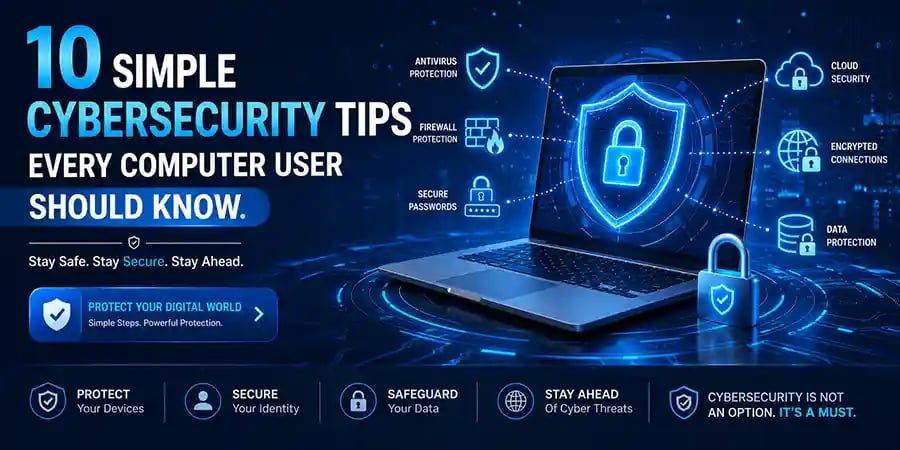
10 Simple Cybersecurity Tips Every Computer User Should Know
Protect Your Digital Life with These Essential Cybersecurity Habits
In today's connected world, cybersecurity is no longer something that only businesses or IT professionals need to worry about. Every computer user faces online threats daily, whether they realize it or not. From phishing emails and fake websites to ransomware attacks and stolen passwords, cybercriminals are constantly looking for opportunities to exploit vulnerable users.
The good news is that staying safe online doesn't require advanced technical knowledge. In fact, many cyberattacks succeed because users overlook simple security practices that can dramatically reduce risk. By adopting a few smart habits, you can protect your personal information, financial accounts, devices, and digital identity.
This guide covers ten simple yet highly effective cybersecurity tips that every computer user should know and practice regularly.
Why Cybersecurity Matters More Than Ever
The internet has transformed how we work, communicate, shop, bank, and store information. While these conveniences offer tremendous benefits, they also create opportunities for cybercriminals.
Many users believe hackers only target large corporations, but individuals are often easier targets. Personal computers contain valuable information such as passwords, banking details, private documents, photos, and email accounts. A single security mistake can lead to identity theft, financial loss, or the loss of important files.
Cybersecurity is not about living in fear of technology. It's about using technology responsibly and understanding how to reduce risks while enjoying the benefits of the digital world.
Use Strong and Unique Passwords
One of the most common causes of account breaches is weak passwords. Many users continue to use simple passwords such as birthdays, names, or common words that hackers can easily guess.
A strong password should be long, unique, and difficult to predict. Ideally, it should combine uppercase letters, lowercase letters, numbers, and special characters.
More importantly, avoid using the same password across multiple accounts. If one account is compromised, cybercriminals often attempt to use the same credentials elsewhere.
Using a password manager can help generate and securely store strong passwords without requiring you to remember every one.
Enable Multi-Factor Authentication
Even the strongest password can potentially be stolen. This is why multi-factor authentication (MFA) has become one of the most effective security measures available.
MFA requires an additional verification step when logging in, such as a code sent to your phone or generated by an authentication app.
This extra layer of security significantly reduces the chances of unauthorized access. Even if someone obtains your password, they would still need the second verification factor to access your account.
For important services such as email, online banking, cloud storage, and social media accounts, enabling MFA should be a top priority.
Keep Your Operating System Updated
Many cyberattacks exploit vulnerabilities that software developers have already fixed through updates.
Unfortunately, some users delay or ignore updates because they seem inconvenient. However, these updates often contain critical security patches designed to protect against newly discovered threats.
Whether you're using Windows, macOS, or Linux, keeping your operating system up to date is one of the simplest ways to strengthen security.
Automatic updates can help ensure that important fixes are installed promptly without requiring manual intervention.
Install Software Only from Trusted Sources
The internet offers countless free applications, but not all downloads are safe.
Cybercriminals frequently disguise malware as legitimate software, cracked programs, fake installers, or free utilities. Downloading software from unofficial websites increases the risk of infecting your system with malicious code.
Always download applications from official developer websites, trusted software vendors, or reputable app stores whenever possible.
If an offer seems too good to be true—such as premium software being offered completely free—it may be a trap.
Be Careful with Email Attachments and Links
Phishing remains one of the most successful cyberattack methods because it targets human behavior rather than technical vulnerabilities.
Cybercriminals create convincing emails that appear to come from banks, delivery services, government agencies, or popular companies. These messages often contain malicious attachments or links designed to steal information.
Before clicking any link, verify the sender and inspect the destination carefully. If something seems suspicious, contact the organization directly through official channels rather than using information provided in the email.
A few extra seconds of caution can prevent major security incidents.
Use Reliable Antivirus and Security Software
While no security solution is perfect, reputable antivirus software provides an important layer of protection against malware, ransomware, spyware, and other threats.
Modern security software can detect suspicious behavior, block malicious downloads, and warn users about potentially dangerous websites.
Regular scans and real-time protection help identify threats before they can cause damage.
Think of antivirus software as an additional safety net that complements safe browsing habits rather than replacing them.
🔐 About Genuine Softwares
We provide 100% genuine and verified software licenses at affordable prices. Instant delivery, secure payments, and reliable customer support — helping you stay protected and productive.
🛒 Popular Products
Explore some of our most popular genuine software licenses trusted by thousands of users.
🔎 Search Software
📩 Subscribe
📚 Blog Categories
Browse our helpful guides and tutorials to learn more about installing, activating, and using genuine software effectively.
Helpful tutorials for installing, activating, optimizing, and managing Microsoft Windows.
Helpful tutorials for installing and using Microsoft Office applications.
Learn how to choose the right software license for home or business.
Tips to keep your computer safe from malware, viruses, and cyber threats.
Compare different software versions to find the best option for your needs.
Quick solutions for software errors, installation issues, activation problems, performance fixes.
⭐ Why Choose Genuine Softwares?
We focus on delivering trusted, affordable, and genuine software solutions for individuals and businesses worldwide.
✔ 100% Genuine Software Licenses
✔ Instant Digital Delivery
✔ Secure Payment Methods
✔ Affordable Prices
✔ Activation Support Available
Secure Your Home Wi-Fi Network
Many users focus on protecting their computers while overlooking the security of their home network.
An unsecured Wi-Fi network can provide attackers with a pathway into connected devices. Changing the default router password and using strong WPA2 or WPA3 encryption can significantly improve network security.
It's also wise to keep your router's firmware updated and disable unnecessary remote management features.
A secure network creates a stronger foundation for protecting all devices connected to it.
Back Up Important Data Regularly
Data loss can occur for many reasons, including hardware failures, accidental deletion, malware infections, and ransomware attacks.
Regular backups ensure that important files remain accessible even if something goes wrong.
Consider maintaining multiple backup copies, including cloud storage and external drives. Following the "3-2-1 backup strategy" can provide additional protection by keeping copies in different locations.
Backups are often overlooked until disaster strikes, but they can be the difference between a minor inconvenience and a major loss.
Avoid Public Wi-Fi for Sensitive Activities
Public Wi-Fi networks found in airports, hotels, cafes, and shopping centers are convenient but may not always be secure.
Attackers can sometimes intercept unencrypted data transmitted over public networks. This makes sensitive activities such as online banking, financial transactions, or accessing confidential information more risky.
When using public Wi-Fi, consider connecting through a trusted VPN service to encrypt your internet traffic and improve privacy.
If possible, use your mobile data connection for highly sensitive tasks.
Stay Informed About New Cyber Threats
Cybersecurity is constantly evolving. New scams, malware variants, and attack techniques emerge every year.
One of the most effective defenses is awareness. Users who stay informed about common cyber threats are better equipped to recognize suspicious activity before becoming victims.
Following cybersecurity news, reading security advisories, and learning about emerging scams can help you stay one step ahead of cybercriminals.
Knowledge remains one of the strongest tools in digital security.
Building a Security-First Mindset
Technology alone cannot guarantee cybersecurity. The most effective protection comes from combining secure software with smart user behavior.
Developing a security-first mindset means thinking carefully before clicking links, downloading files, sharing personal information, or granting access to applications.
Many successful cyberattacks rely on human error rather than technical sophistication. By slowing down and making informed decisions, users can avoid the majority of common threats.
Good cybersecurity habits eventually become second nature, creating safer digital experiences for work, learning, communication, and entertainment.
Final Thoughts
Cybersecurity doesn't have to be complicated. While cyber threats continue to grow in sophistication, most attacks can be prevented through simple precautions and responsible digital habits.
Strong passwords, multi-factor authentication, software updates, trusted downloads, secure networks, and regular backups provide a powerful foundation for online safety. When combined with awareness and caution, these practices significantly reduce the likelihood of becoming a cybercrime victim.
Whether you're a student, professional, business owner, or casual computer user, investing a little time in cybersecurity today can save you from major problems tomorrow. In an increasingly digital world, protecting your information is no longer optional—it's essential.
Genuine
Authentic Microsoft Software Solutions at Unbeatable Prices, Instant Delivery, Trusted Worldwide.
Support & Contact
Newsletter
customercare@genuinesoftwarekeys.com
+960 796 4737
© 2026. Genuine Software Keys. All rights reserved.
100% Genuine Software
Genuine License Guaranteed




Instant Delivery
Secure Payments
24/7 Customer Support
via Email
SSL Encrypted
We’re Here Anytime


Software Keys
Subscribe Now & Unlock Exclusive Deals, Special Discounts, and the Latest Offers.
Available 24/7 – Get a Response Within 2 Minutes, Anytime You Need Us.
Popular Products


We Accept




✔ No Spam
✔ Special Offers
✔ Early Access Details
SSL Secured
Your data is safe with us
Delivery Policy | Terms and Conditions
Microsoft Office 365 Professional Plus